

In our comprehensive Colorful iGame X870E Vulcan review, we examine whether this premium all-white board can truly dethrone traditional market leaders. Colorful has engineered a flagship product that directly challenges the top offerings from ASUS, MSI, and Gigabyte.

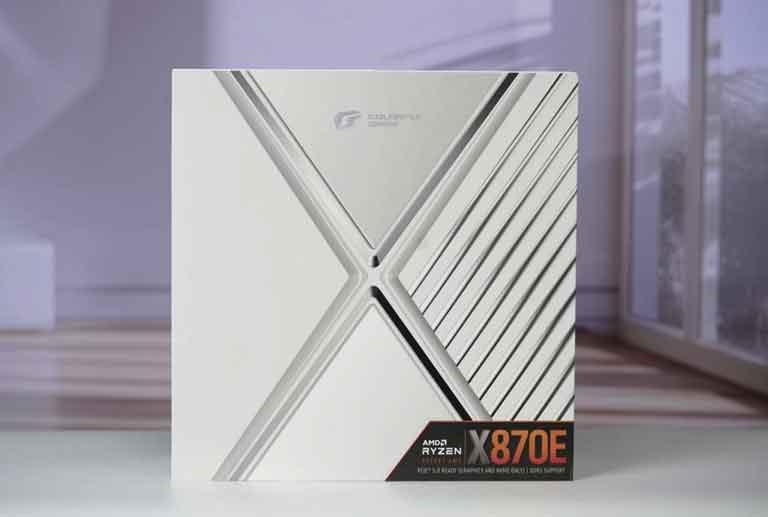
Historically, extreme overclockers and high-end gamers defaulted to dark, expensive boards. However, the Colorful iGame X870E VULCAN W OC (popularly known as the “White Vulcan”) delivers elite engineering with a striking pure-white aesthetic. Below, we break down its power delivery, connectivity, memory overclocking limits, and real-world benchmark performance.

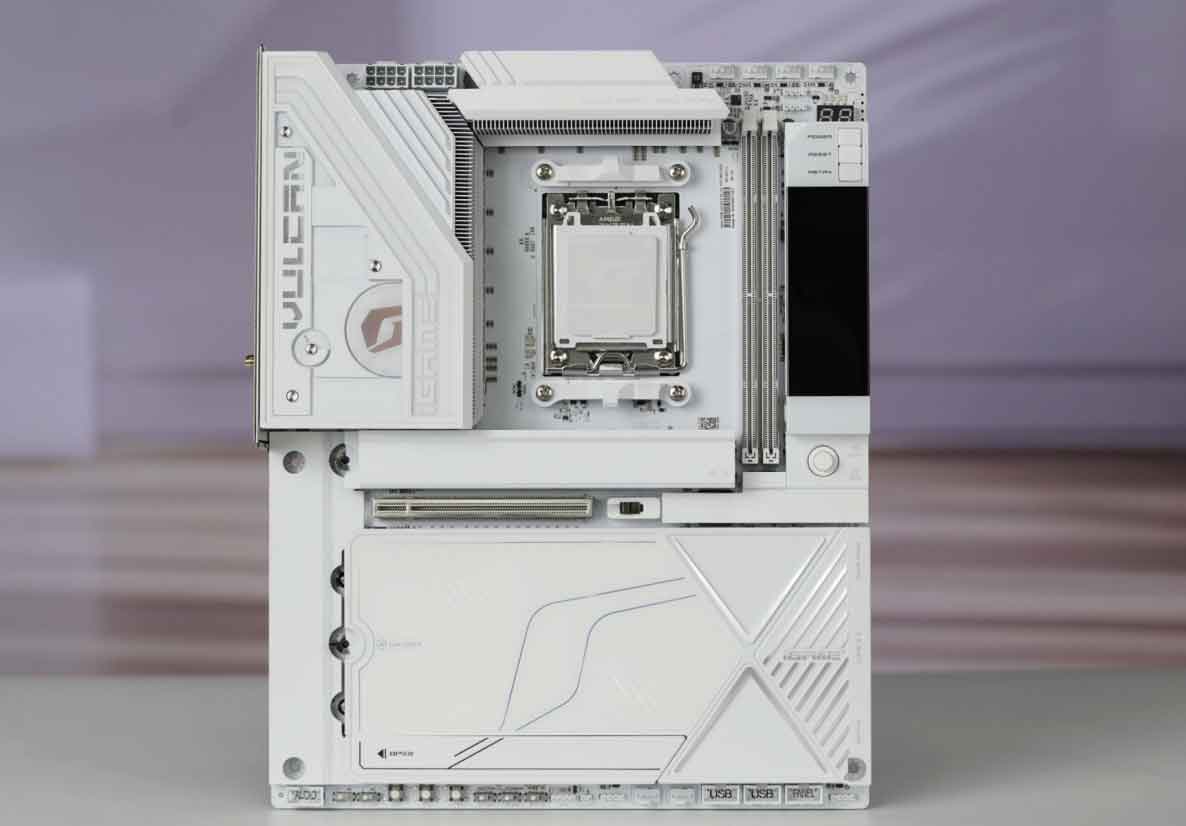
Quick Verdict & Overall Score
Colorful iGame X870E VULCAN W OC — Summary
Overall Score: 9.4 / 10
The Good: Formidable 22-phase 110A SPS VRM; rare Japanese rear chip polymer capacitors; 1DPC 2-DIMM layout achieving ultra-low 64.4ns latency; integrated Vulcan Smart LCD Screen; dual 40Gbps USB4; Wi-Fi 7; toolless GPU and M.2 latching; gorgeous all-white aesthetic.
The Bad: M.2 slot #2 shares bandwidth with rear USB4 ports; dual-DIMM layout limits maximum capacity; international retail availability requires sourcing through global channels.
Where to Buy: Colorful iGame X870E Vulcan
Check live stock, international shipping, and lowest verified prices:
Official Flagship Store
Global Store / Prime
*Prices, discounts, and inventory availability may vary depending on your region.
Colorful iGame X870E Vulcan Price: Redefining High-End Value
Flagship hardware often comes with an exorbitant price tag. Consequently, the Colorful iGame X870E Vulcan Price stands out as one of its most disruptive features. The motherboard officially launches on September 1, 2026, with an MSRP of ¥3,999 RMB (approximately $550 – $580 USD).

When you compare this figure against competing tier-one flagship motherboards that retail for $750 to $900 USD, Colorful provides extraordinary value. As a result, PC builders can acquire top-tier overclocking hardware at a competitive pc motherboard price. This aggressive pricing makes the Vulcan an exceptional pairing for the AMD Ryzen 9 9950X3D.

Detailed Hardware Teardown: VRM & Component Selection
A flagship gaming pc motherboard must deliver rock-solid electrical stability. Colorful engineered this power delivery subsystem with zero compromises.

1. 22-Phase Digital VRM with 110A Renesas SPS
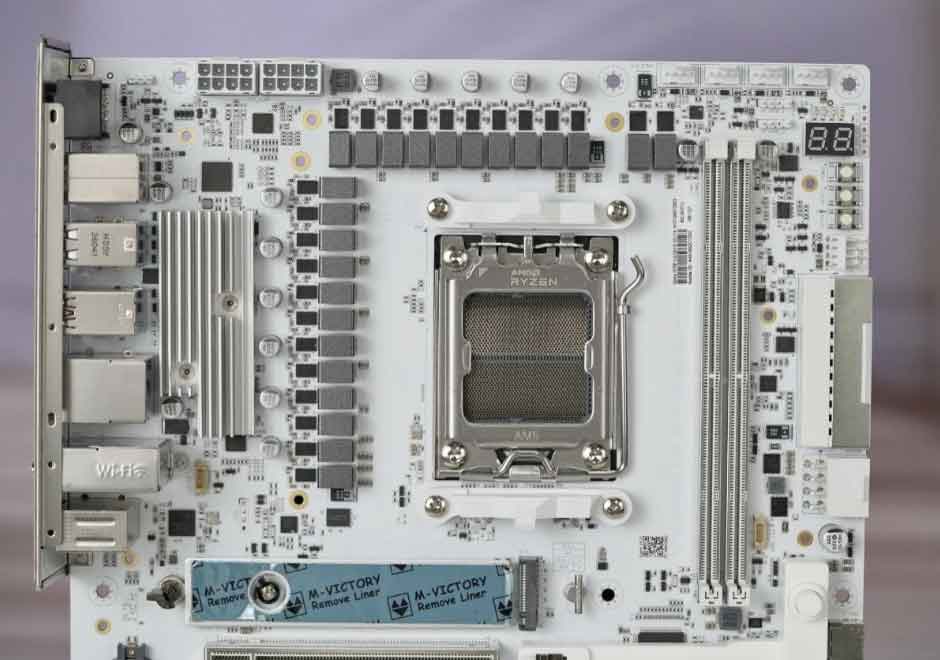
The motherboard features an 18+2+2 digital power delivery architecture. Moreover, Colorful equips every phase with a premium Renesas R2209004 Smart Power Stage (SPS) DrMOS rated at an exceptional 110A. Therefore, the Colorful iGame X870E Vulcan review shows that the VRM supplies clean, sustained current while operating at remarkably cool temperatures under sustained multithreaded workloads.

2. Colorful iGame X870E Vulcan Review: Japanese Chip Polymer Capacitors
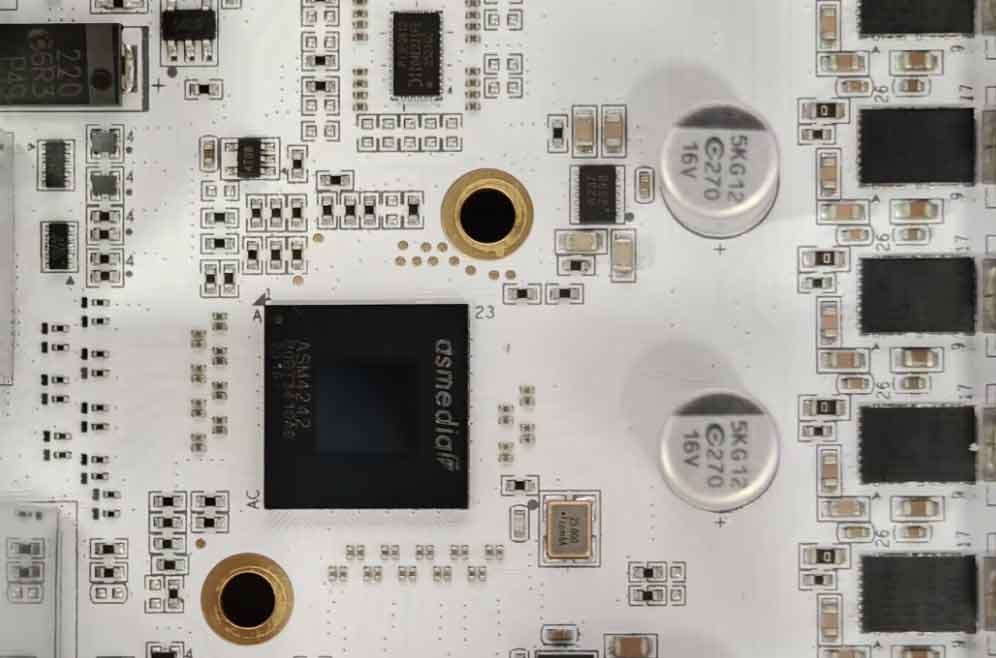
Instead of crowding the CPU socket with standard cylindrical electrolytic capacitors, Colorful installed advanced Japanese chip polymer capacitors on the rear of the PCB. Furthermore, Colorful iGame X870E Vulcan review shows that these surface-mount components significantly reduce ripple voltage and enhance transient response. Because these capacitors carry high production costs, they are virtually absent on motherboards under $800.

3. “Holy White” Alloy Thermal Armor
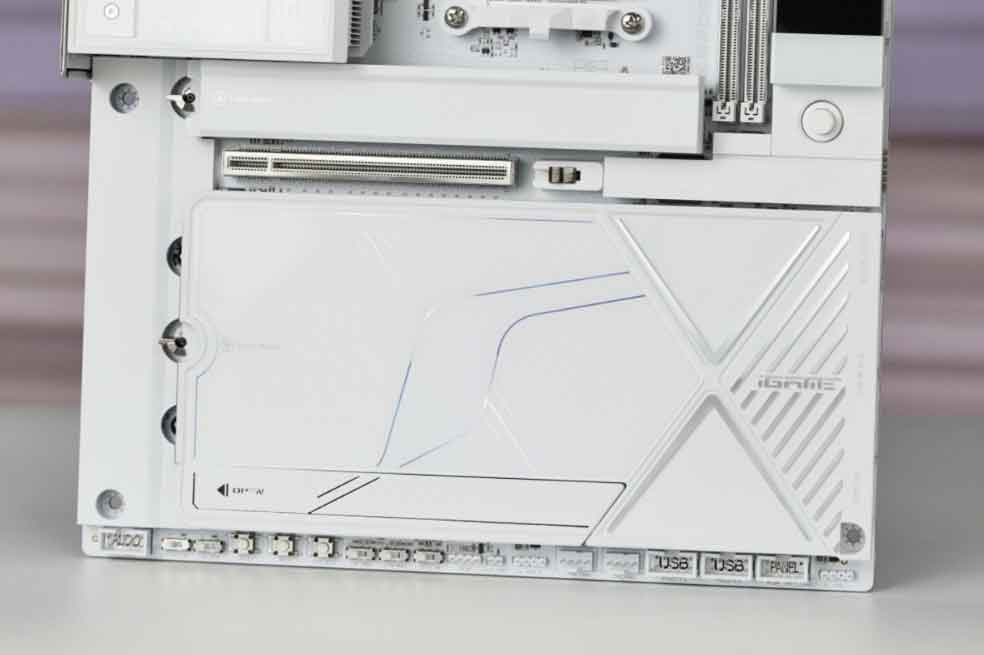
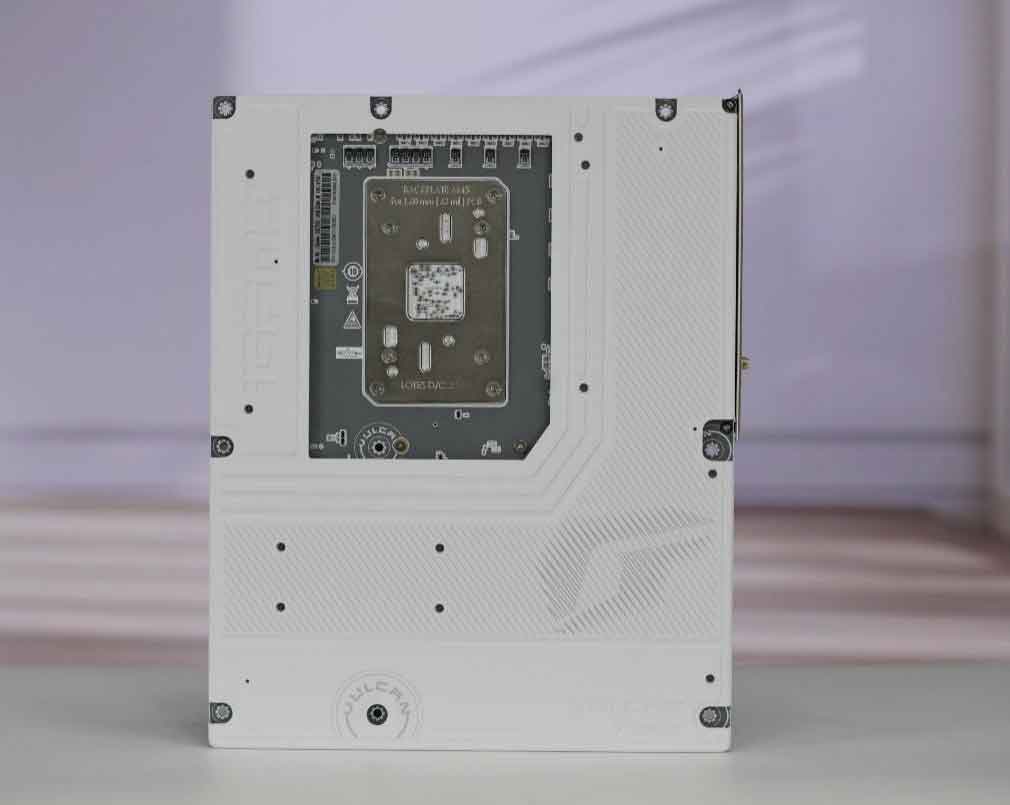
Thermal management is equally impressive. The board features an integrated “Holy White” alloy armor with zero visible front screws. Beneath the protective shell, dense finned heatsinks dissipate heat across all primary thermal zones. Additionally, a full-coverage metal backplate provides anti-static protection and structural rigidity.

Colorful iGame X870E Vulcan Specs & Comparison
A thorough analysis of the Colorful iGame X870E Vulcan Specs demonstrates why this board competes directly with the best in the industry. The comparison table below highlights how the Vulcan stacks up against rival flagship motherboards.
| Hardware Specification | Colorful iGame X870E VULCAN W OC | ASUS ROG Maximus X870E Apex | MSI MEG X870E Godlike |
|---|---|---|---|
| MSRP / Price | ¥3,999 (~$560 USD) | ~$749 USD | ~$899 USD |
| VRM Configuration | 18+2+2 (22 Phases, 110A SPS) | 22+2+2 (110A SPS) | 24+2+1 (110A SPS) |
| Capacitor Technology | Rear Chip Polymer (Tantalum) | SMD Metallic Solid Caps | Black Solid Electrolytic |
| Memory Layout & Speed | 2-DIMM (1DPC) DDR5 8800+ / 10600+ | 2-DIMM (1DPC) DDR5 8600+ | 4-DIMM (2DPC) DDR5 8200+ |
| M.2 Storage Slots | 5x M.2 (2x PCIe 5.0 + 3x PCIe 4.0) | 4x M.2 (2x PCIe 5.0 + 2x PCIe 4.0) | 5x M.2 (3x PCIe 5.0 + 2x PCIe 4.0) |
| High-Speed USB Ports | Dual 40Gbps USB4 (ASM4242) | Dual 40Gbps USB4 (JHL9040R) | Dual 40Gbps USB4 (ASM4242) |
| Networking | Wi-Fi 7 + 5Gbps LAN | Wi-Fi 7 + 5Gbps LAN | Wi-Fi 7 + 10Gbps LAN |
| Hardware Display | Vulcan Smart LCD Display | Q-Code LED Array | Dynamic Dashboard III LCD |
| Aesthetic Theme | Pure White Mecha | Matte Black / Silver | Dark Titanium |

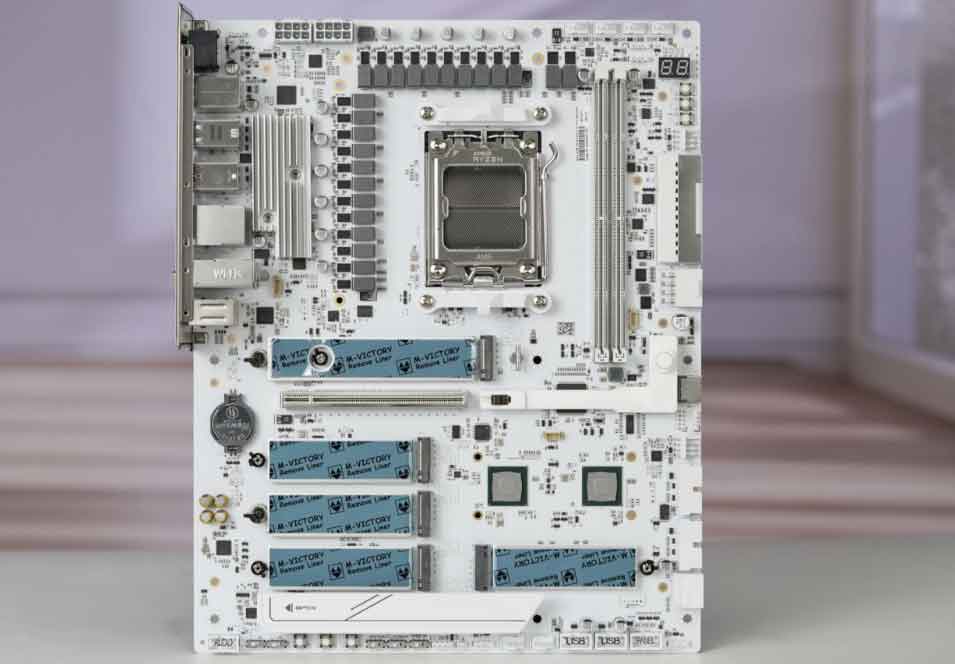
Gaming Features: Smart Screen & EZ Quick Release
In addition to raw power, modern builders value quality-of-life features. The Vulcan introduces several practical innovations that simplify installation and tuning.
- Vulcan Smart Screen: An onboard LCD screen provides real-time telemetry, including CPU core temperatures, operational voltages, and clock frequencies. Users can also display custom animations.
- Dedicated Open-Bench Buttons: Three physical switches next to the screen grant immediate Power, Reset, and BIOS Restart controls.
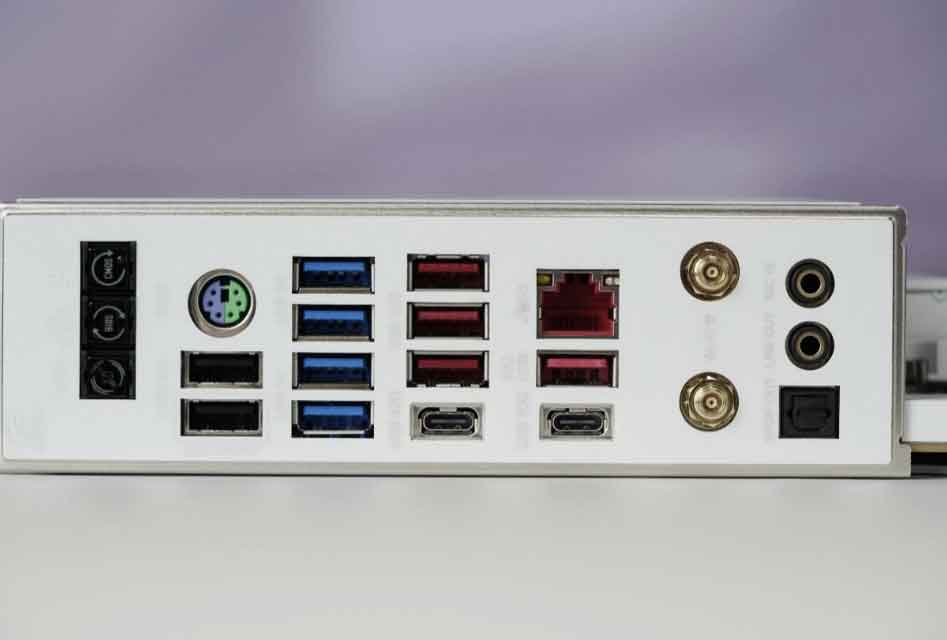
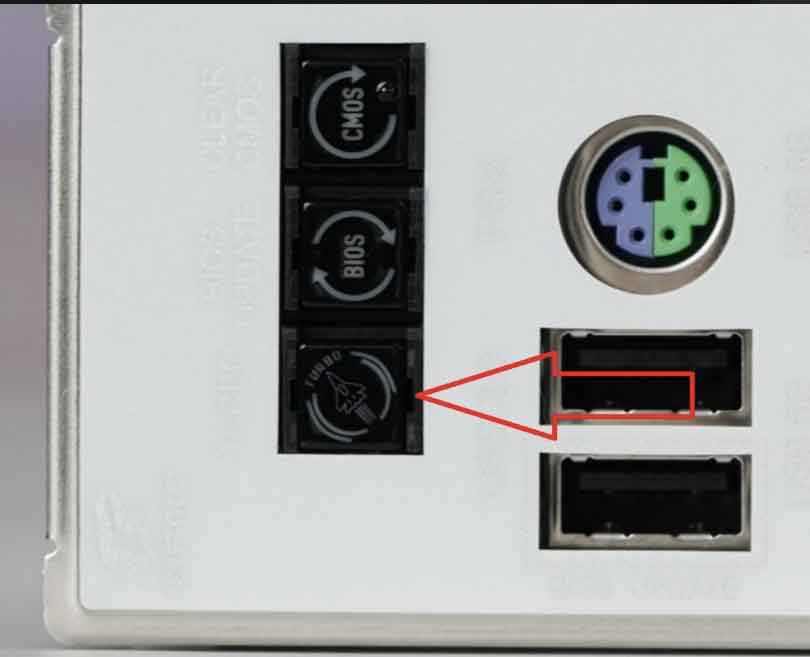
- One-Key X3D Overclocking: A dedicated physical button on the rear I/O shield engages automated X3D performance profiles instantly without entering the BIOS.
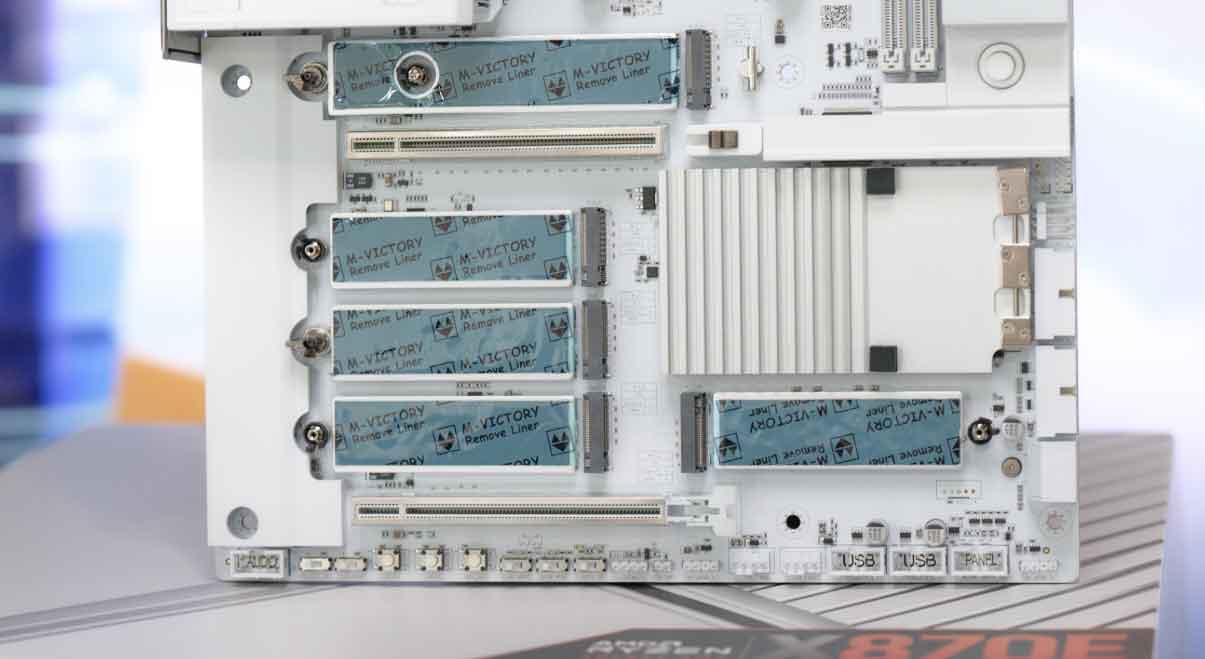
- EZ Quick-Release GPU & M.2 Latches: A dedicated mechanical push-button detaches heavy graphics cards cleanly. Similarly, M.2 heatsink shields lock in place toollessly with snap latches.
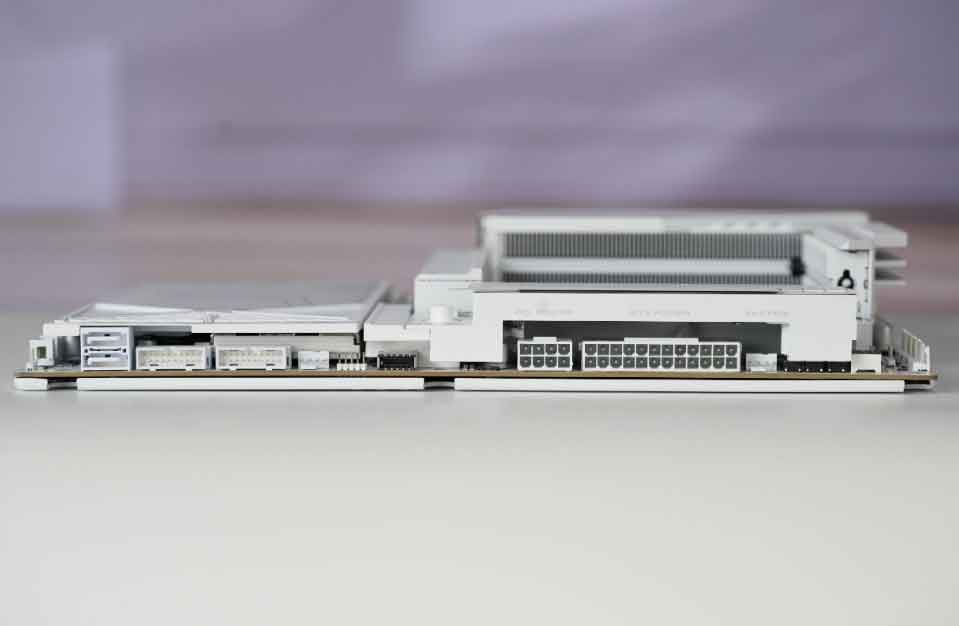
- High-Speed USB4 Connectivity: Functioning as a premium motherboard with Thunderbolt 4 compatibility, dual 40Gbps USB4 Type-C ports offer fast external drive transfers and display outputs.
BIOS Capabilities & X3D AI Turbo Optimization
Historically, software optimization was an area where rival brands held a slight advantage. However, Colorful’s current iGame UEFI BIOS offers impressive responsiveness and deep parameter control in its Colorful iGame X870E Vulcan review.

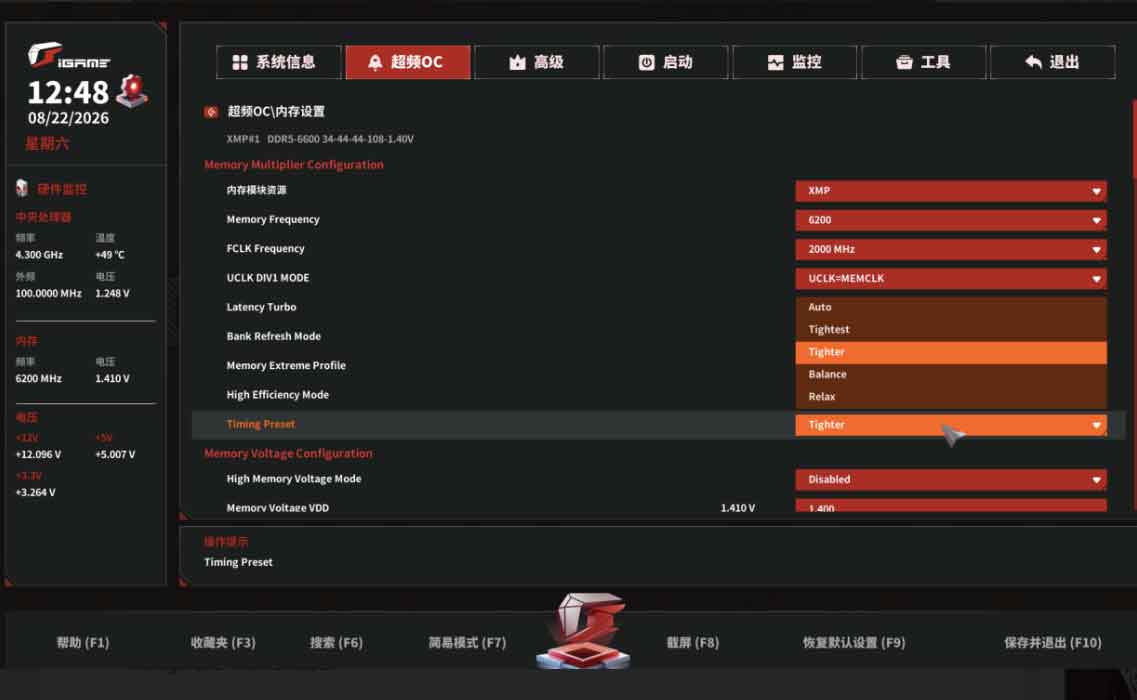
The BIOS includes X3D AI Turbo (AI High Frame Mode), which automatically evaluates CPU silicon characteristics. It applies tailored frequency offsets and optimized voltage curves to boost gaming performance while keeping temperatures low. Furthermore, it officially supports the AMD Ryzen 7 9800X3D, Ryzen 7 9850X3D, and Ryzen 9 9950X3D.

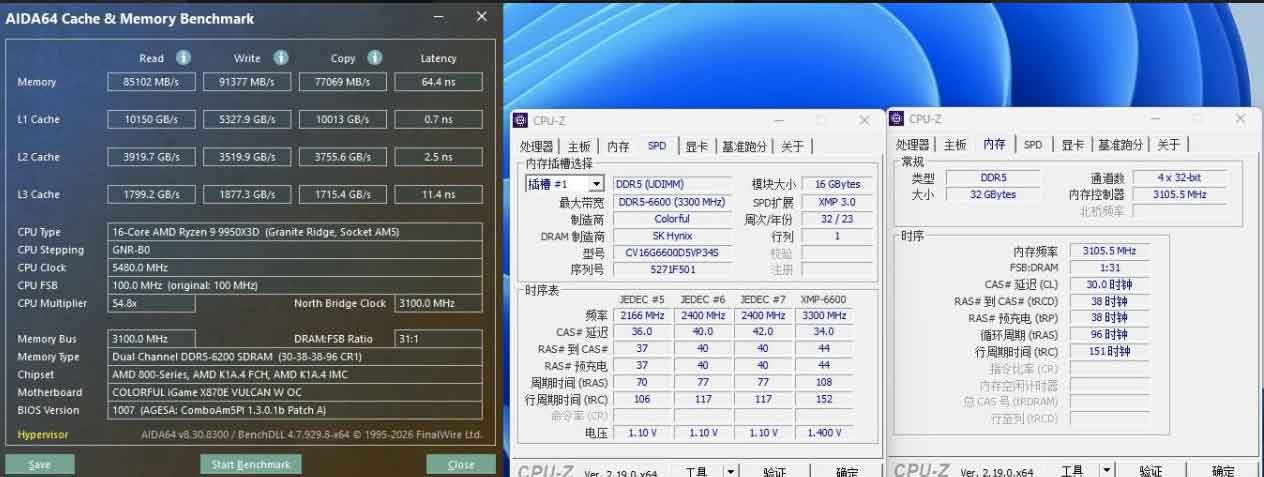
Additionally, eight independent 4-pin PWM fan headers provide precise thermal management. Each header supports custom fan curves, including a 0 RPM silent mode below 40°C for noiseless operation.
Performance Benchmarks & Thermal Testing
To evaluate gaming performance and power efficiency, we tested the board using an AMD Ryzen 9 9950X3D and Colorful CVN DDR5-6600 memory modules.
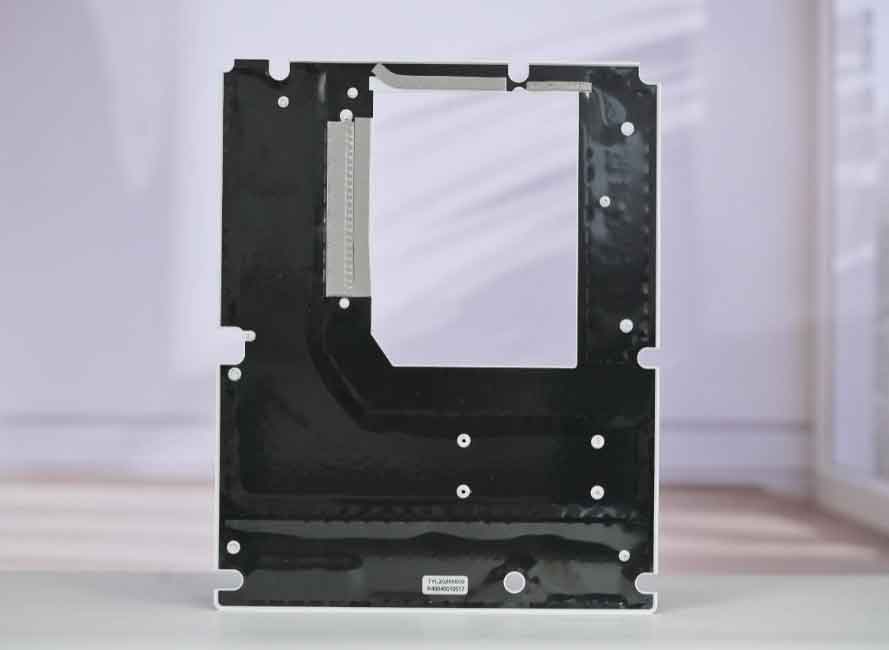


1. Memory Subsystem & Latency Reduction
The 1DPC dual-slot layout significantly reduces signal reflection compared to conventional 4-slot motherboards. When we activated Colorful’s memory optimization profiles, the latency gains were outstanding according to Colorful iGame X870E Vulcan review.
| Memory Configuration | Read Speed | Write Speed | Copy Speed | Latency |
|---|---|---|---|---|
| JEDEC Baseline (DDR5-4800, CL40) | 59,648 MB/s | 63,126 MB/s | 56,131 MB/s | 96.0 ns |
| Standard XMP (DDR5-6200, CL30) | 76,123 MB/s | 81,136 MB/s | 69,736 MB/s | 78.5 ns |
| Latency Turbo + High Efficiency (Tighter) | 85,102 MB/s | 91,377 MB/s | 77,069 MB/s | 64.4 ns (-14.1 ns) |
Enabling Latency Turbo reduced memory latency down to 64.4 ns. Consequently, the board runs roughly 5ns faster than typical competitor boards, which noticeably improves 1% low frame rates in competitive gaming.

2. Thermal Stress & VRM Efficiency
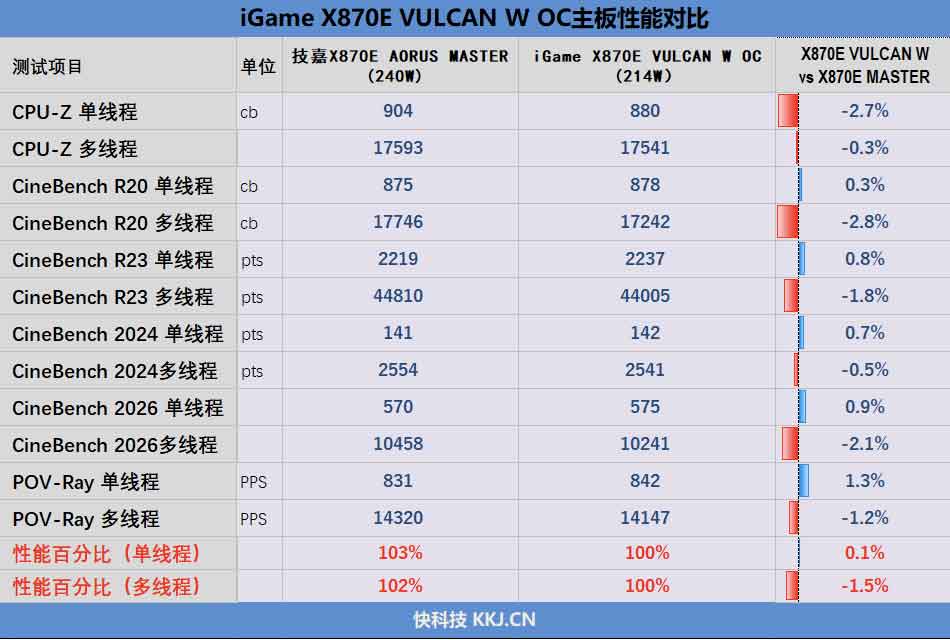
During a 30-minute AIDA64 FPU stress test, the Ryzen 9 9950X3D drew 214W package power while temperatures held steady at 90°C. Clock frequencies sustained 4.45 GHz on CCD1 and 4.35 GHz on CCD2.
Crucially, the Vulcan achieved the exact same all-core clock speeds at 214W that competing motherboards required 240W to maintain. Thus, the board delivers superior electrical efficiency with minimal heat dissipation waste.
3. CPU Benchmark Summary
- CPU-Z Single-Core: 880.0 points (+0.1% higher than 240W competitor boards)
- CPU-Z Multi-Core: 17,541.0 points (within 1.5% margin at 26W lower power draw)
- Cinebench R20 Single-Thread: 878 cb
- Cinebench R20 Multi-Thread: 17,242 cb

Pros and Cons
PROS
- Exceptional price-to-performance ratio (~$560 MSRP).
- Heavy-duty 22-phase VRM equipped with 110A SPS power stages.
- Rear Japanese chip polymer capacitors ensure clean power filtering.
- Outstanding memory overclocking reaching 64.4ns latency.
- Full connectivity: Dual 40Gbps USB4, Wi-Fi 7, and 5Gbps LAN.
- Onboard Vulcan Smart Screen with live hardware telemetry.
- Premier white mobo design for custom white PC builds.
CONS
- Second M.2 slot shares PCIe lane bandwidth with rear USB4 ports.
- Dual-DIMM layout limits maximum memory capacity.
- Regional retail distribution may require international importing.
Final Verdict: Should You Buy the Colorful iGame X870E Vulcan?
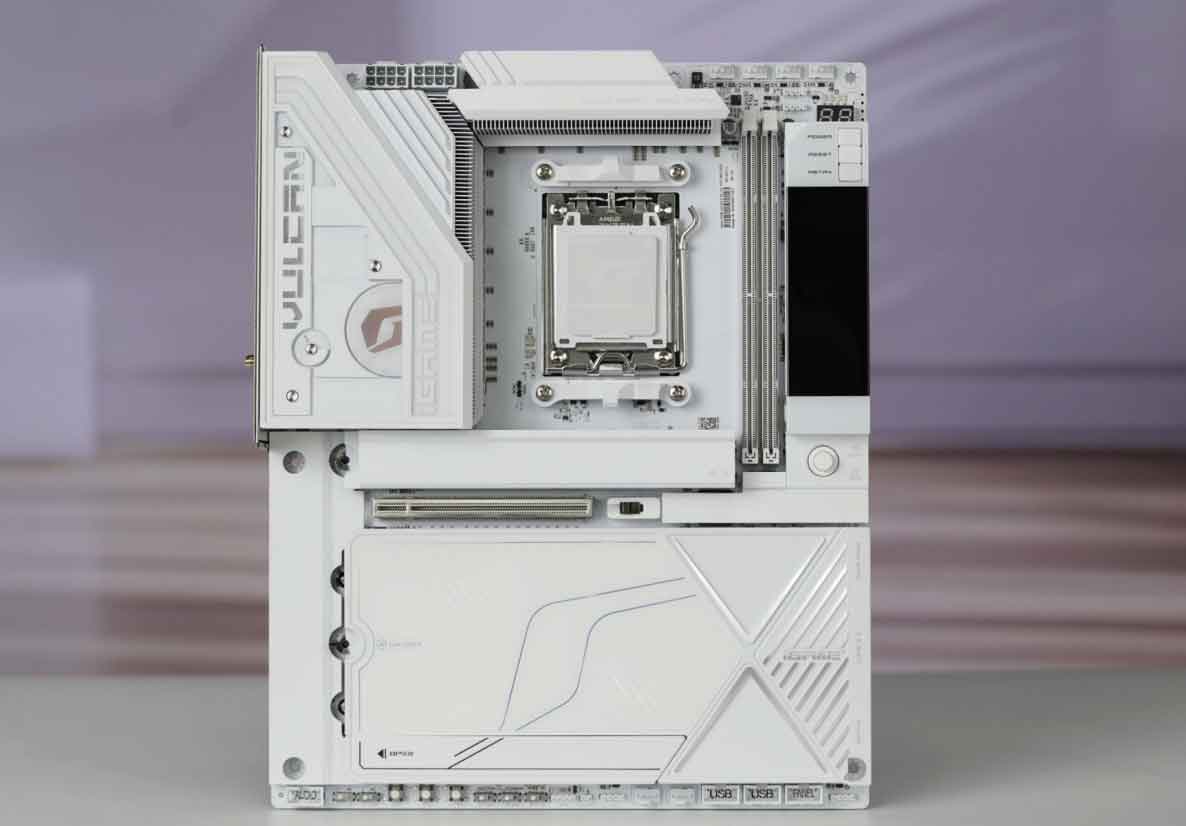
By combining a 110A VRM, Japanese chip polymer capacitors, a dedicated 1DPC memory layout, and polished BIOS latency tuning, this board matches or exceeds motherboards costing significantly more. Our in-depth Colorful iGame X870E Vulcan review demonstrates that Colorful has produced an outstanding gaming performance motherboard.
If you are building an elite white gaming system or want maximum memory performance from AMD’s Ryzen 9000 and 9000X3D processors, the Colorful iGame X870E VULCAN W OC is undoubtedly one of the best choices available in 2026.
Where to Buy: Colorful iGame X870E Vulcan
Check live stock, international shipping, and lowest verified prices:
Official Flagship Store
Global Store / Prime
*Prices, discounts, and inventory availability may vary depending on your region.
📚 References & Testing Sources
- Manufacturer Specifications & BIOS Support:
Colorful Official Global Technology & Motherboard Portal
- Processor & AM5 Chipset Architecture:
AMD Socket AM5 Platform & Ryzen 9000 Series Technical Documentation
- USB4 & Controller Specifications:
ASMedia ASM4242 USB4 / Thunderbolt Host Controller Overview
Also Read:
S24 Ultra vs iPhone 16 Pro Max: 7 Tested Differences & Winner
OPPO Find X10 Pro Max Leak: 5 Key Triple 200MP Camera Specs
Huawei Mate XT 2 vs iPhone 18 Pro Max: 5 Major September Leaks Compared
Anbernic RG406V Review: Reasons It Dominates PS2 Emulation
Sony PS6 Handheld Leak: 5 Reasons Why Price Could Top $600
ASUS ROG Xbox Ally X20 Announced: 5 Major Upgrades & $1,299 Price Tag
Steam Deck OLED vs ROG Ally X: 7 Tested Differences & Best Pick