

Steam Deck OLED vs ROG Ally X: 7 Tested Differences & Best Pick

The race for the best handheld gaming pc has intensified with the arrival of Valve’s refreshed OLED model and ASUS’s heavily upgraded Windows handheld. If you are comparing the steam deck oled vs rog ally x, you are choosing between console-like operating system perfection and raw desktop-grade PC power.
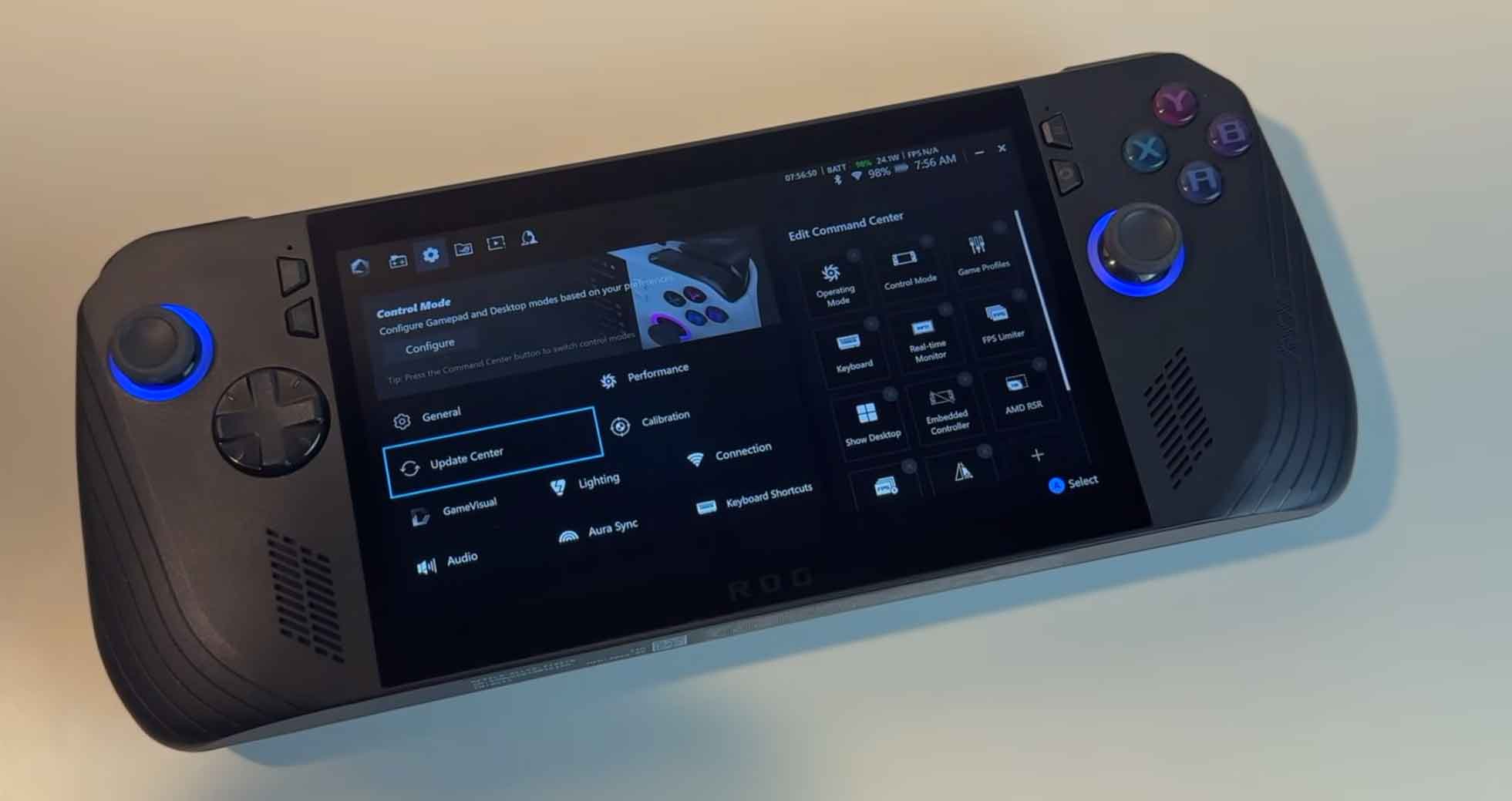
While the Steam Deck OLED refines visual fidelity, efficiency, and ergonomics, the ROG Ally X doubles battery capacity to 80Wh, expands system memory to 24GB, and runs native Windows 11. In this hands-on rog ally x review benchmark and comparison, we analyze battery endurance tests, display quality, AAA performance, and software compatibility to determine the ultimate gaming handheld.

Quick Comparison: Steam Deck OLED vs ASUS ROG Ally X
| Tested Feature / Spec | Valve Steam Deck OLED | ASUS ROG Ally X |
|---|---|---|
| Processor (APU) | Custom 6nm AMD “Sephiroth” (Zen 2 / 4C 8T + RDNA 2) | 4nm AMD Ryzen Z1 Extreme (Zen 4 / 8C 16T + RDNA 3) |
| RAM & Storage | 16GB LPDDR5 (6400 MT/s) | 512GB or 1TB NVMe | 24GB LPDDR5X (7500 MT/s) | 1TB Full-Size 2280 NVMe |
| Display & VRR | 7.4″ 1280×800 90Hz HDR OLED (1,000 nits peak) | 7.0″ 1920×1080 120Hz IPS LCD (500 nits, FreeSync VRR) |
| Battery Capacity | 50Wh Lithium-Ion (Up to 45W PD Charging) | 80Wh Lithium-Ion (Up to 100W PD Charging) |
| Operating System | SteamOS 3.5 (Linux-based, Console UI) | Windows 11 Home + Armoury Crate SE 1.5 |
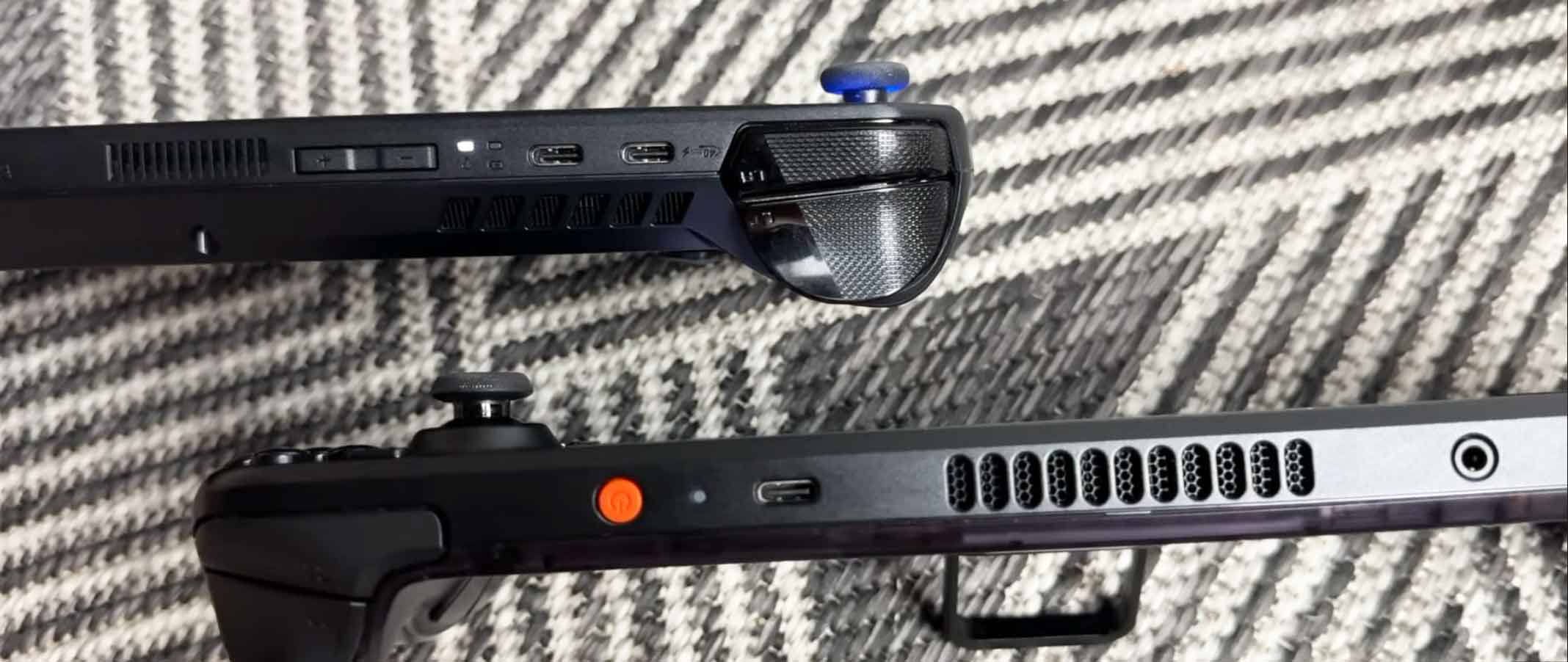
| External Ports (I/O) | 1x USB-C (USB 3.2 Gen 2, DisplayPort), MicroSD | 1x USB4 (40Gbps / eGPU), 1x USB-C 3.2, MicroSD |
| Weight & Ergonomics | 640g (Dual Trackpads + Gyro + 4 Back Grip Buttons) | 678g (Deep Ergonomic Grips + 2 Macro Back Buttons) |
| Starting Price | $549 (512GB) / $649 (1TB) | $799 (1TB) |
| Where to Buy | Check Amazon | View AliExpress | Check Amazon | View AliExpress |
Best OLED & Console UX
Steam Deck OLED
7.4″ 90Hz HDR OLED | SteamOS | Instant Sleep/Resume
Top Power & 80Wh Battery
ASUS ROG Ally X
Ryzen Z1 Extreme | 24GB RAM | 80Wh Battery | USB4
1. Display Shootout: 90Hz HDR OLED vs 120Hz FreeSync VRR
The display debate between these two handhelds comes down to contrast and color versus resolution and variable refresh rate:
- Steam Deck OLED (7.4″ True Blacks): Features custom 90Hz OLED technology delivering infinite contrast ratios and 1,000-nit peak brightness in HDR titles. Dark scenes in games like Dead Cells and Cyberpunk 2077 appear with zero backlight bleed, making visual colors pop dramatically.
- ROG Ally X (7.0″ 1080p 120Hz FreeSync): Utilizes a 1080p IPS screen with AMD FreeSync Premium VRR (Variable Refresh Rate). When frame rates fluctuate between 40 and 60 FPS, the screen synchronizes refresh rates dynamically, eliminating screen tearing and micro-stutters.


2. Performance & Benchmarks: 6nm APU vs Ryzen Z1 Extreme
Under the hood, both devices take divergent approaches to processing architecture:
- ASUS ROG Ally X (24GB RAM & Z1 Extreme): The 8-core/16-thread Ryzen Z1 Extreme easily outperforms the Steam Deck in demanding AAA titles. ASUS upgraded the memory to 24GB of 7500 MT/s LPDDR5X RAM, allowing gamers to allocate 8GB purely to VRAM while leaving 16GB for Windows system tasks. In 3DMark Time Spy benchmarks, it scores 3,518 points, achieving over 70+ FPS in titles like Call of Duty: Modern Warfare 3 (1080p balanced with frame generation).
- Steam Deck OLED (Efficient 15W Cap): Valve transitioned to a 6nm APU die shrink that maximizes battery efficiency at low power envelopes (3W to 15W TDP). While it handles indie titles and optimized AAA games at 800p smoothly, it lacks the raw horsepower for high-frame-rate 1080p gaming.
Performance Verdict: If you want to push 1080p resolutions at 60–120 FPS in modern blockbuster titles, the ROG Ally X provides substantial GPU headroom. For indie games, retro emulation, and verified Steam titles, the Steam Deck OLED is exceptionally optimized.


3. Hands-On Battery Life Test & Power Draw
In extensive battery life test evaluations, both handhelds show significant improvements over their predecessors, but the Ally X’s battery size leads the class:
- ROG Ally X (Massive 80Wh Pack): ASUS doubled the battery size from 40Wh to 80Wh. In ETA PRIME’s testing running Cyberpunk 2077 at 1080p high settings:
- Silent Mode (13W TDP / 21W Total Draw): ~3 Hours 53 Minutes
- Performance Mode (17W TDP / 25W Total Draw): ~3 Hours 15 Minutes
- Turbo Mode (25W TDP / 34W Total Draw): ~2 Hours 20 Minutes
- 1080p Video Playback: Over 12 Hours of continuous runtime.
- Steam Deck OLED (50Wh Pack + 6nm Efficiency): Valve increased the battery to 50Wh (up from 40Wh on LCD Deck). Combined with the energy-efficient OLED display and 6nm APU, light 2D games run for 6 to 9 hours, while demanding 3D games last between 2 to 3.5 hours.

4. Software Ecosystem: Windows Handheld vs SteamOS
The choice between a windows handheld vs steamos defines your everyday user experience:
- SteamOS (Console Simplicity): Delivers instantaneous sleep and resume functionality with a single tap of the power button. Navigating menus, adjusting TDP sliders, and managing per-game controller profiles is seamless, though running non-Steam launchers requires extra tinkering.
- Windows 11 on ROG Ally X (Universal Game Support): Runs Xbox Game Pass, Epic Games, EA App, GOG, and Blizzard Battle.net natively. Crucially, it runs games with kernel-level anti-cheat (like Valorant, Fortnite, Destiny 2, and Call of Duty) that are unplayable on SteamOS. ASUS Armoury Crate SE 1.5 provides a consolidated game library interface.
5. Controls, Storage, and Hardware Upgrades
- Ergonomics & Grips: The ROG Ally X features redesigned, deeper grips, a refined 8-way d-pad, and smaller rear macro buttons to prevent accidental presses. The Steam Deck OLED remains slightly lighter (640g vs 678g) and includes dual capacitive trackpads for strategy games.
- Storage Expandability: The Ally X now uses standard full-size M.2 2280 NVMe SSDs, allowing cheap storage upgrades up to 4TB or 8TB. Furthermore, its top USB4 port (40Gbps) supports external GPU (eGPU) enclosures.
Hands-On Video Reviews & Testing References
Watch the full video reviews and lab tests below from Dave2D and ETA PRIME for complete teardowns and frame-rate benchmarks:
Steam Deck OLED Review (by Dave2D)
ROG Ally X Full Review (by ETA PRIME)
Pros and Cons Breakdown
Valve Steam Deck OLED
- Pros:
- Stunning 7.4-inch 90Hz OLED screen with true HDR (1,000 nits peak).
- Intuitive SteamOS interface with reliable instant sleep/resume.
- Dual capacitive trackpads for strategy games and precise aiming.
- More affordable entry price ($549 for 512GB).
- Lighter chassis (640g) with quiet thermal dissipation.
- Cons:
- Screen capped at 800p resolution without Variable Refresh Rate (VRR).
- Incompatible with games requiring Windows kernel-level anti-cheat.
- Lower peak compute performance in heavy modern AAA games.
ASUS ROG Ally X
- Pros:
- Huge 80Wh battery delivers class-leading Windows handheld endurance.
- Potent Ryzen Z1 Extreme APU paired with 24GB of 7500 MT/s RAM.
- 1080p 120Hz display with AMD FreeSync Premium VRR support.
- Native Windows 11 compatibility (plays Game Pass, Fortnite, COD).
- Standard full-size M.2 2280 SSD slot and USB4 40Gbps eGPU port.
- Cons:
- Higher price point ($799).
- IPS LCD display lacks the deep contrast and pure blacks of OLED.
- Windows 11 touch navigation requires occasional keyboard/mouse tweaks.
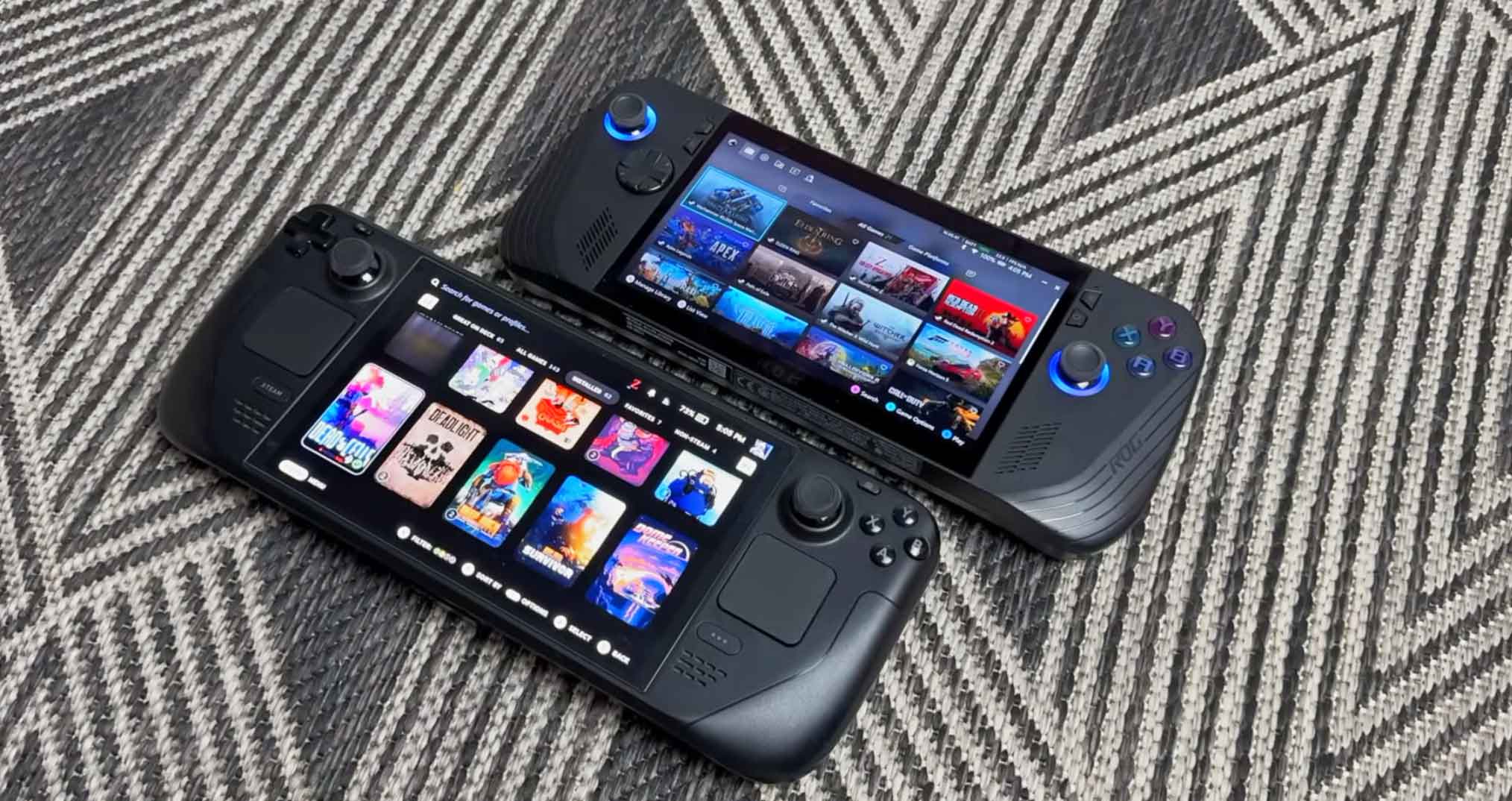
Final Verdict: Which Handheld Wins the Steam Deck OLED vs ROG Ally X Battle?
Your choice in the steam deck oled vs rog ally x comparison depends on where you play and what games you prioritize:
- Buy the Steam Deck OLED if you want a seamless, console-like gaming handheld with an unmatched HDR OLED display, quiet fans, trackpads, and effortless sleep/resume convenience for Steam and indie titles at an accessible price.
- Buy the ASUS ROG Ally X if you want the most powerful Windows handheld on the market. With an 80Wh battery, 24GB RAM, 120Hz FreeSync display, and full native support for Xbox Game Pass, anti-cheat competitive shooters, and full-size SSD upgrades, it is the ultimate desktop-in-your-hands device.
Ready to Upgrade Your Mobile Gaming? Check Live Deals:
Prices and stock for handheld PCs update frequently on Amazon and AliExpress. Click below to check current discounts:
Frequently Asked Questions (FAQ)
Can you play Xbox Game Pass games natively on Steam Deck OLED?
No. Steam Deck OLED runs Linux-based SteamOS, which only supports Xbox Cloud Gaming via browser. The ASUS ROG Ally X runs Windows 11 and can download and install PC Game Pass titles natively.
Which device has better battery life for AAA games?
The ASUS ROG Ally X has longer battery life in heavy 3D titles due to its massive 80Wh battery pack, lasting over 3 hours at 17W TDP compared to roughly 2 to 2.5 hours on the Steam Deck OLED’s 50Wh pack.
Can you upgrade the storage SSD on both devices?
Yes. The Steam Deck OLED uses smaller M.2 2230 NVMe drives, while the ASUS ROG Ally X supports standard full-size M.2 2280 NVMe SSDs, making storage upgrades up to 4TB or 8TB significantly more affordable.
Also Check:
S24 Ultra vs iPhone 16 Pro Max: 7 Tested Differences & Winner
7.5 inch PadPhone leak: 5 Reasons Why 10,000mAh Giant Screens Are Back
Huawei Mate XT 2 Tri-Fold Confirmed: 5 Major Leaks Ahead of Sept 7 Launch
POCO F6 Pro vs Xiaomi 14T Pro: 6 Tested Differences & Best Buy
FiiO M33 R2R vs. FiiO M23: Which Audiophile DAP Wins? (2026 Review)


